
 11
11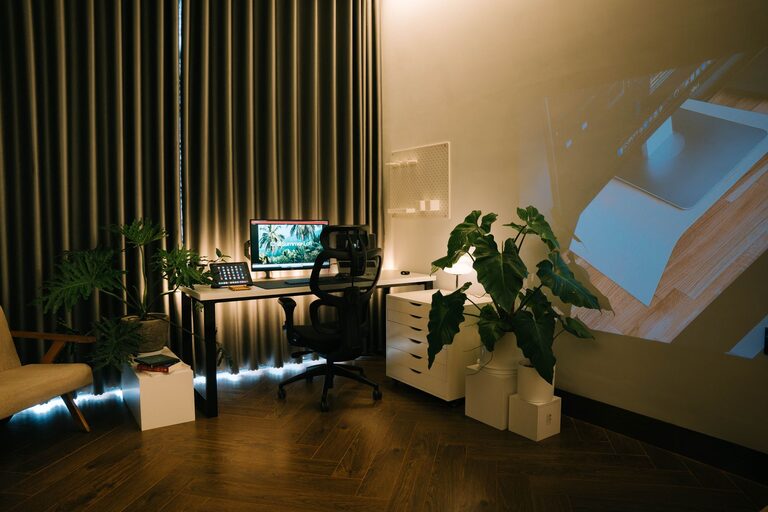
Creating a relaxing home workspace is essential for maintaining focus, reducing stress, and improving overall productivity. Whether you work remotely full-time or occasionally bring tasks home, having a space that supports comfort and calm can make all the difference. In this post, we’ll explore practical steps and design tips to help you craft a tranquil and efficient workstation right in your own home.
A workspace is more than just a desk and a chair. It’s a place where your mind needs to settle, so you can focus on your tasks. When your environment feels cluttered or uncomfortable, it can lead to distractions, fatigue, and decreased motivation. On the other hand, a well-designed space promotes mental clarity and encourages consistent productivity.
Selecting the ideal spot in your home is the first step toward creating a relaxing workspace.
– Natural Light: Aim for a space near a window to benefit from natural light. Sunlight can uplift your mood and reduce eye strain.
– Quiet Area: Pick a location with minimal noise and foot traffic to avoid distractions.
– Separate Space: If possible, designate a room or a specific corner solely for work to help your brain distinguish between work and leisure.
Comfort directly impacts how long and how well you can work.
– Ergonomic Chair: Choose a chair that supports your back and encourages good posture. Look for adjustable height and lumbar support.
– Desk Size: Select a desk with enough surface area to hold your computer, notebook, and any other essentials without feeling cramped.
– Footrest: Consider using a footrest to improve circulation and comfort during long work sessions.
A tidy workspace can ease your mind and enhance efficiency.
– Declutter Regularly: Remove unnecessary items and keep only what you need for daily tasks.
– Storage Solutions: Use shelves, drawers, or organizers to keep supplies neatly stored away.
– Cable Management: Use clips or cable sleeves to keep wires under control and avoid messy tangles.
Adding personal touches can make your workspace inviting and motivating.
– Plants: Indoor plants improve air quality and create a calming atmosphere.
– Artwork: Choose calming or inspiring art that encourages creativity without overwhelming the space.
– Decor: Incorporate items that bring you joy, such as photos, quotes, or small decorative pieces.
Proper lighting is key to comfort and productivity.
– Adjustable Lighting: Use a desk lamp with adjustable brightness and color temperature to reduce glare.
– Avoid Screen Glare: Position your monitor perpendicular to windows or bright light sources.
– Blue Light Filters: Consider screen protectors or glasses that reduce blue light exposure, especially if you work late hours.
A peaceful environment supports relaxation and focus.
– Colors: Choose soft, neutral colors or muted tones for walls and furniture to create a soothing setting.
– Sound: Use noise-canceling headphones or play gentle background music or nature sounds to mask distractions.
– Aroma: Consider diffusing essential oils like lavender or eucalyptus for a calming scent.
To maximize the benefits of your relaxing workspace, create habits that support work-life balance.
– Set Work Hours: Define specific working times and stick to them to avoid burnout.
– Take Breaks: Step away regularly to stretch, move, and rest your eyes.
– End-of-Day Ritual: Develop a routine to signal the close of your workday, such as tidying your desk or shutting down your computer.
Designing a relaxing home workspace is about combining comfort, organization, and personal style to create an environment where you can thrive. By thoughtfully choosing your location, furniture, lighting, and decor, you set the stage for more focused and enjoyable workdays. Remember, your workspace should make you feel calm and ready—not stressed or distracted. Start small, make gradual improvements, and enjoy the benefits of your peaceful productivity haven.